How I Built a Padel Court Finder for Bali — From v0 Prototype to Real Product
I play padel in Bali. If you've tried booking a court in Ubud or Sanur, you know the problem: open the Playtomic app, check one club, scroll through dates, check another club, compare prices, lose track of which slot was where. I wanted one screen that shows all available courts across clubs, for whatever day I pick, with prices and a direct booking link.
So I built CourtScout — a small web app that does exactly that. It's open source on GitHub. And the interesting part isn't just the app — it's how I went from idea to production using v0 and Cursor, and what each tool was good (and not so good) at.
The idea: one screen, all courts, all clubs
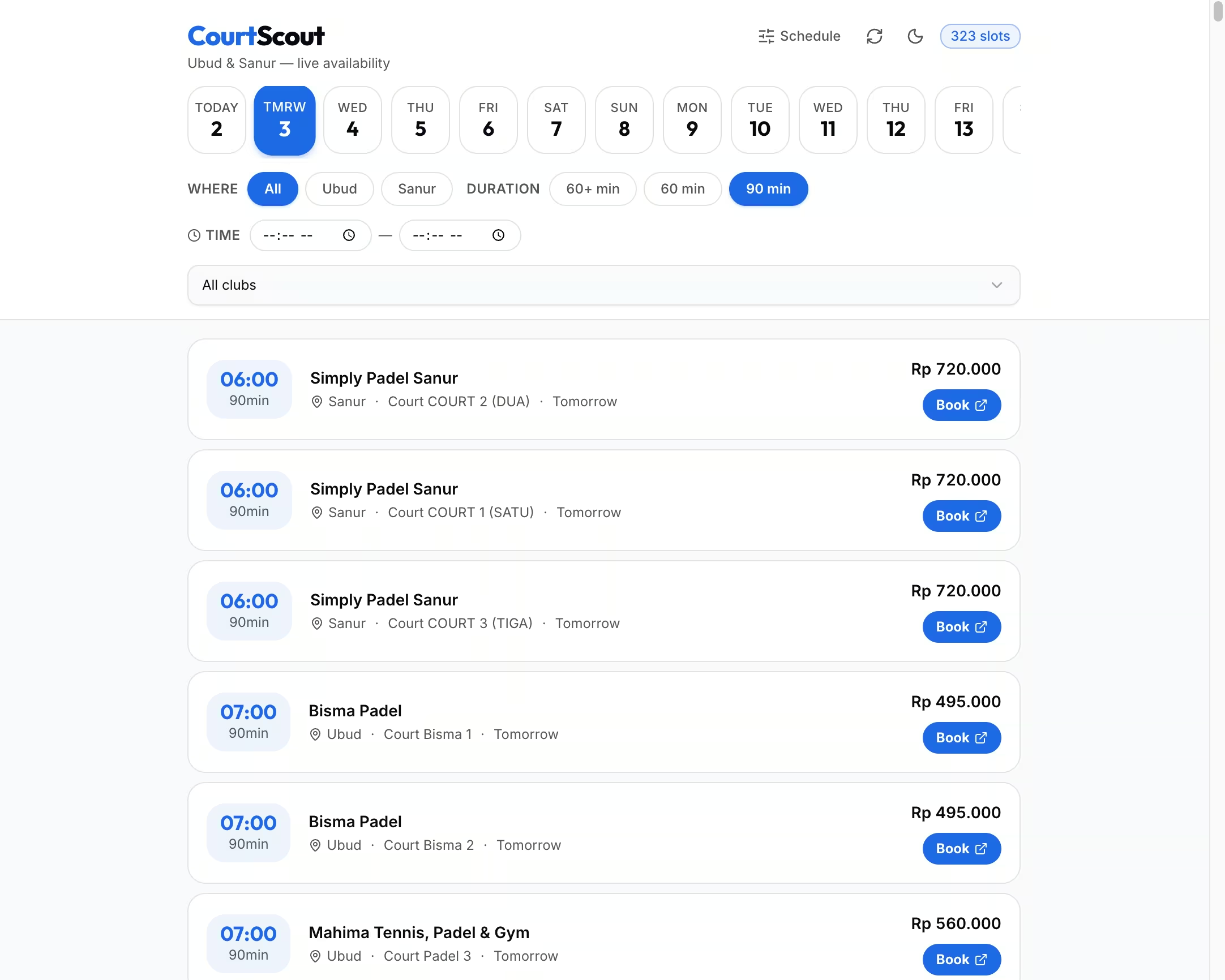
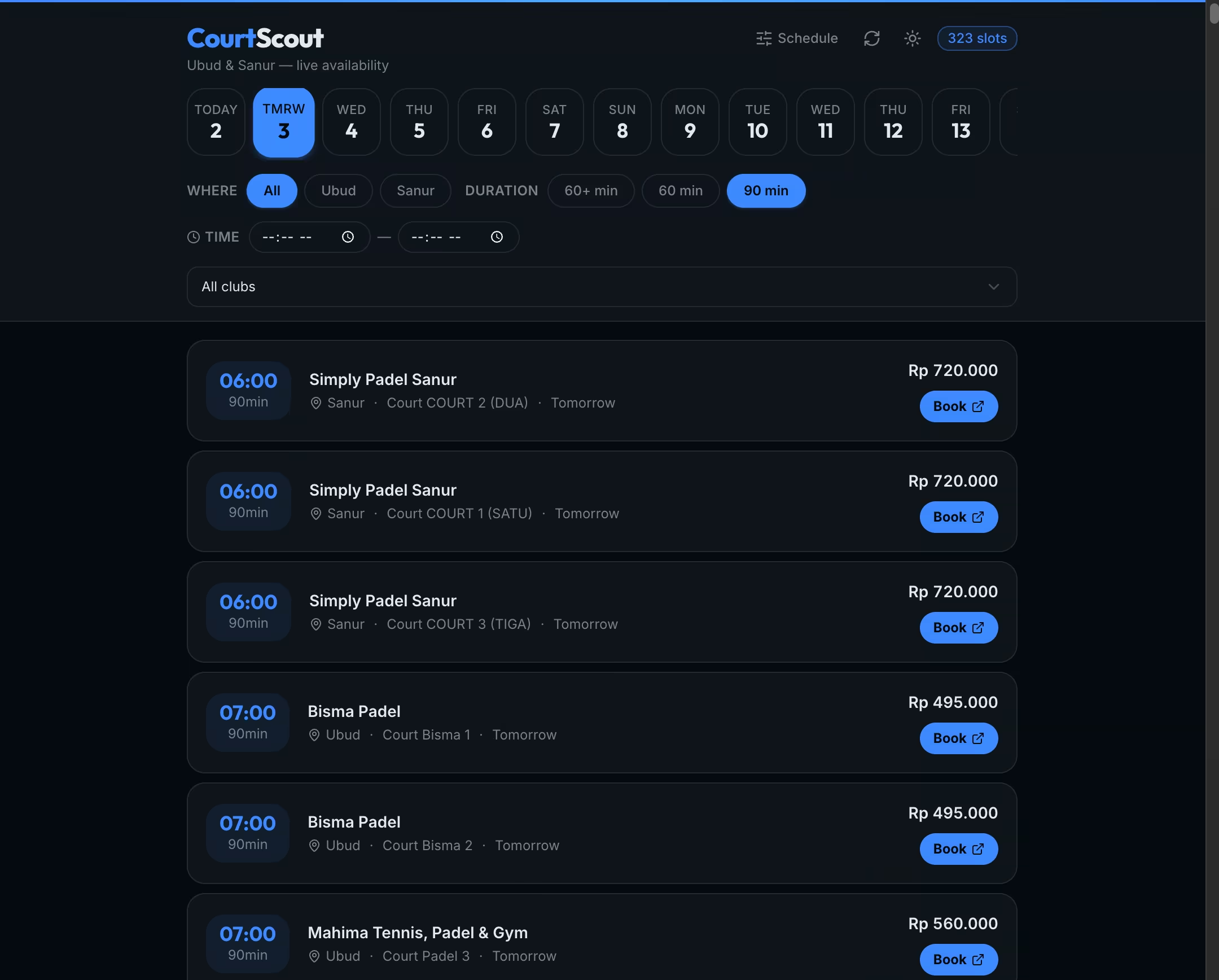
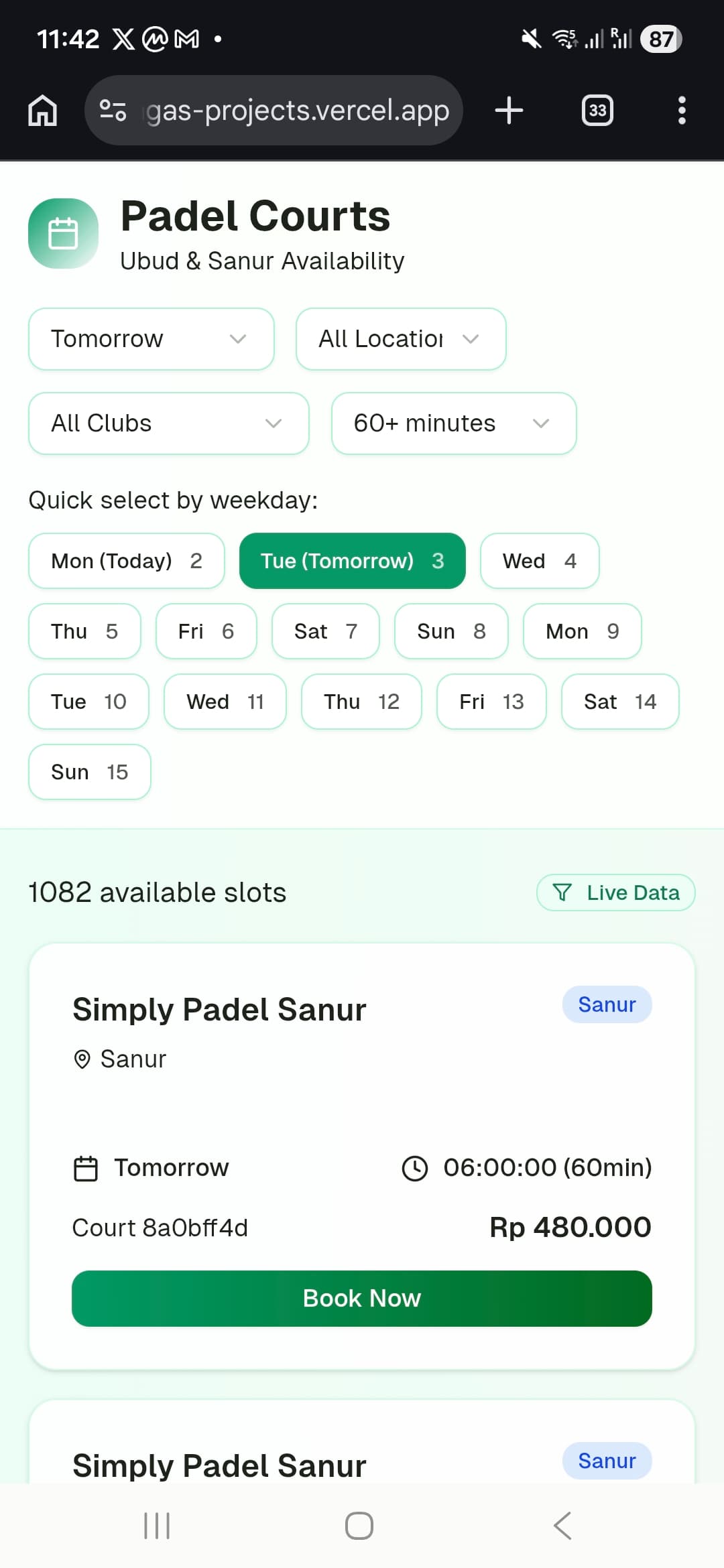
CourtScout is a small web app that pulls real-time padel court availability from the Playtomic API and shows it on a single page. Pick a date, filter by location (Ubud or Sanur) or time window, and you see every open slot with the price and a button that takes you straight to booking. I ship it as a PWA so it sits on my home screen like a native app.
That's it. No accounts, no social features, no fluff. Just: when can I play, where, and for how much?
Phase 1: v0 — describe it and deploy it
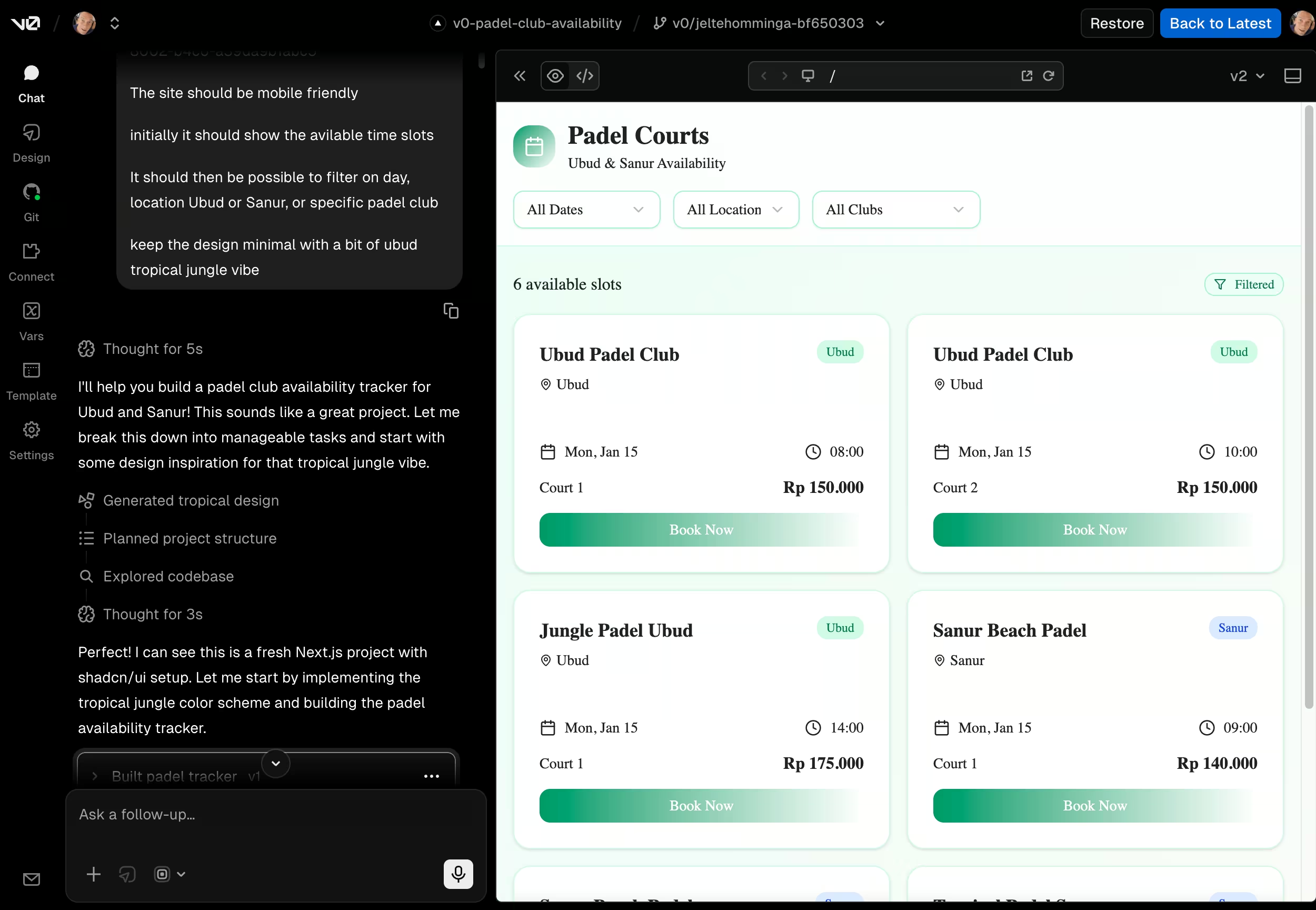
I started in v0, Vercel's AI tool that generates full Next.js apps from a description. I told it what I wanted: Bali padel courts, Playtomic integration, date picker, location filters. Over four iterations it gave me a working app with API calls, a UI built with Tailwind and shadcn-style components, a date strip that scrolled between days, and filters that actually did something.
Within a few hours I had something deployed on Vercel that I could open on my phone and see real court availability. That's the part that still impresses me. I went from "I wish this existed" to "I'm looking at actual open slots right now" in an afternoon.
If you're sitting on a small idea — a tool for yourself, something that solves your own annoyance — that first step from nothing to "it runs" is the hardest. v0 makes that step almost trivially easy. You describe what you want, and you get something you can actually tap and use. It's not perfect, but it exists, and that matters more than most people think.
Phase 2: Cursor — make it real
Here's the thing about v0: it gets you to about 70%. A running prototype with real data. But the gap between "it works" and "I'd trust this as my daily tool" turned out to be significant. I moved the codebase into Cursor and spent about three days — eighteen sessions — refactoring, fixing, and adding everything that makes a product feel solid.
And the first thing I noticed was just how much v0 had gotten wrong about Next.js itself.
The frozen lockfile disaster
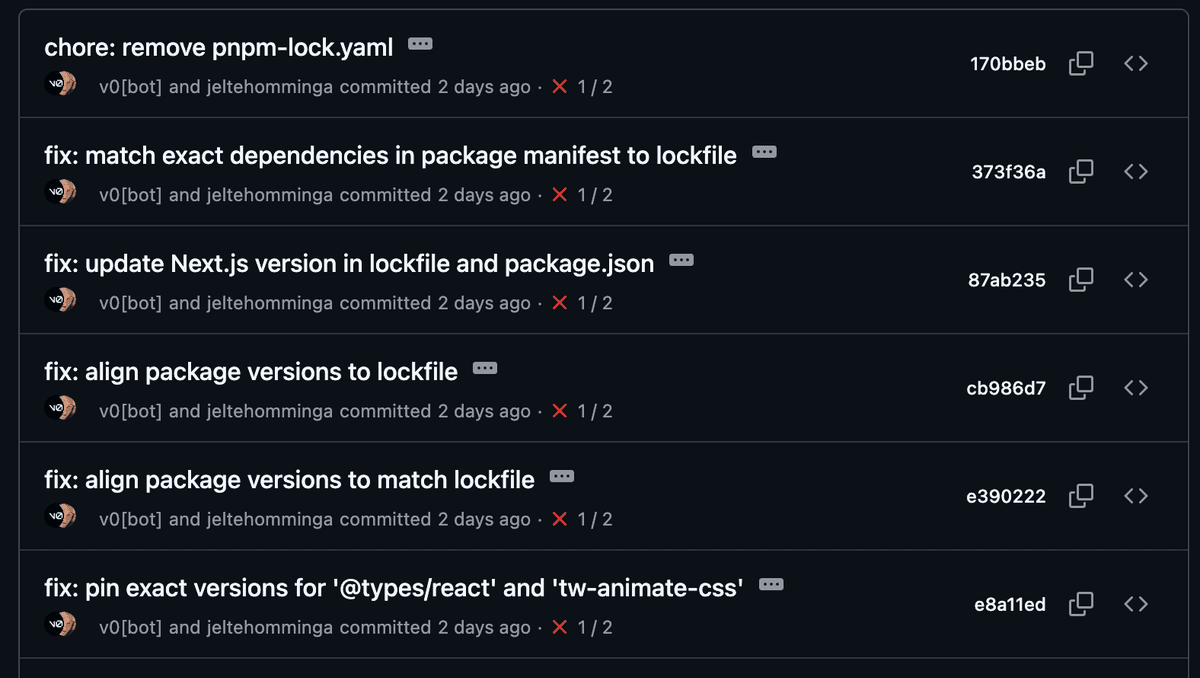
This one burned me. v0 generates projects and deploys them to Vercel, which runs npm install with a frozen lockfile during builds. The problem: v0 kept generating dependency updates where package.json and the lockfile were out of sync. Every deploy failed. I'd go back to v0 to fix it, it would change something else and introduce a new mismatch, the build would fail again, and each attempt cost me another v0 credit.
I burned through most of my v0 credits just trying to get the lockfile aligned. Multiple commits — I count at least five in the git history — are nothing but lockfile reconciliation. In the end, the fix was to pull the repo locally, delete the lockfile, run a clean install, and push. A five-second fix that v0 couldn't figure out across multiple attempts.
Next.js 14 in a Next.js 16 world
v0 scaffolded the project on Next.js 14. At the time, Next.js 16 was already out — and that's not a minor version bump. React 19 support, React Server Components as a first-class pattern, the new use API, better caching defaults — these aren't nice-to-haves, they change how you structure an app.
The generated code reflected the older paradigm: everything lived in a "use client" component. The main page was one big client-side component that fetched data with useEffect and fetch, stored everything in useState, and re-rendered the whole tree on every update. There were no Server Components, no server-side data fetching, no initial props from the server. Every page load started with a blank screen and a loading spinner while the client made API calls.
Upgrading to Next.js 16 with React 19 and restructuring to RSC wasn't just a version bump — it meant rethinking the data flow. The page component became a Server Component that pre-fetches court data before sending HTML to the client. The client component now receives initial data as props, so the first render is immediate. SWR handles revalidation in the background, not initial loading.
Caching that fought against Vercel
This one surprised me the most. v0 generated a custom ServerCache class — a Map() with a fixed 5-minute TTL on everything. A hand-rolled in-memory cache, in a serverless environment where every invocation might be a cold start. On Vercel, that in-memory Map gets thrown away as soon as the function spins down. It was essentially caching nothing.
What's odd is that Next.js has great caching built in. The fetch API in Next.js supports next: { revalidate: seconds } out of the box, and on Vercel that feeds directly into the edge cache. It's literally the first thing the docs recommend. We replaced the custom cache with proper fetch revalidation — clubs cached for an hour, availability for 5 minutes, court resources for 24 hours — and added Cache-Control headers on the API routes for good measure. The result is that the Vercel edge cache actually does its job, cold starts don't kill your cache, and we got request deduplication on top by tracking in-flight promises.
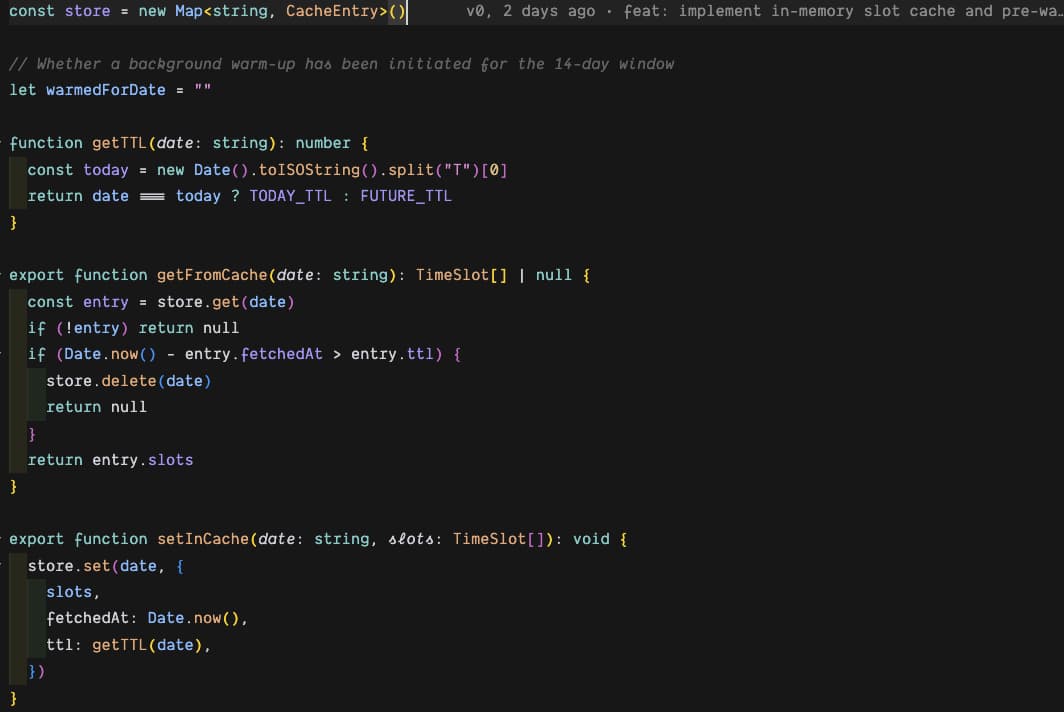
You'd expect a tool built by Vercel to know how caching works on Vercel. That was the moment I realized v0 is generating code from patterns it's seen, not from an understanding of deployment targets.
A timezone bug that broke mornings
The app showed the wrong "today" between midnight and 8am Bali time, because dates were calculated in UTC using date.toISOString().split("T")[0]. Classic bug, easy fix once you spot it — switch to toLocaleDateString("sv-SE", { timeZone: "Asia/Makassar" }) — but the kind of thing that makes you distrust a tool if it happens to you at 7am when you're trying to book a court before work.
Court names were guessed
The app derived court labels from the order of API results instead of fetching the actual names from Playtomic's /v1/tenants/{id}/resources endpoint. So "Court 1" and "Court 3" could be swapped depending on what the API returned that day. We found the right endpoint, fetched real names, and cached them with a 24-hour TTL.
One giant component, no tests, messy config
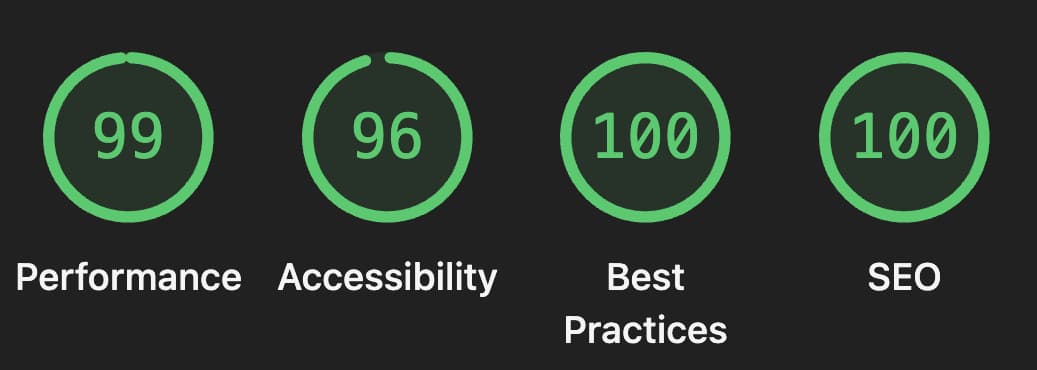
The entire UI was a single 340-line padel-client.tsx. We split it into focused pieces — date-strip, filter-chips, slot-card, empty-state — each with typed props. On top of that: zero tests, Lighthouse accessibility at 89, any types everywhere, and a reactCompiler flag in next.config.mjs that broke the build. We added Vitest with 20+ tests, pushed Lighthouse scores to near-perfect, introduced strict TypeScript, and cleaned up every unused import and dead code path v0 had left behind "just in case."
The stuff we built on top
Beyond fixes, we added what makes CourtScout actually pleasant to use day-to-day.
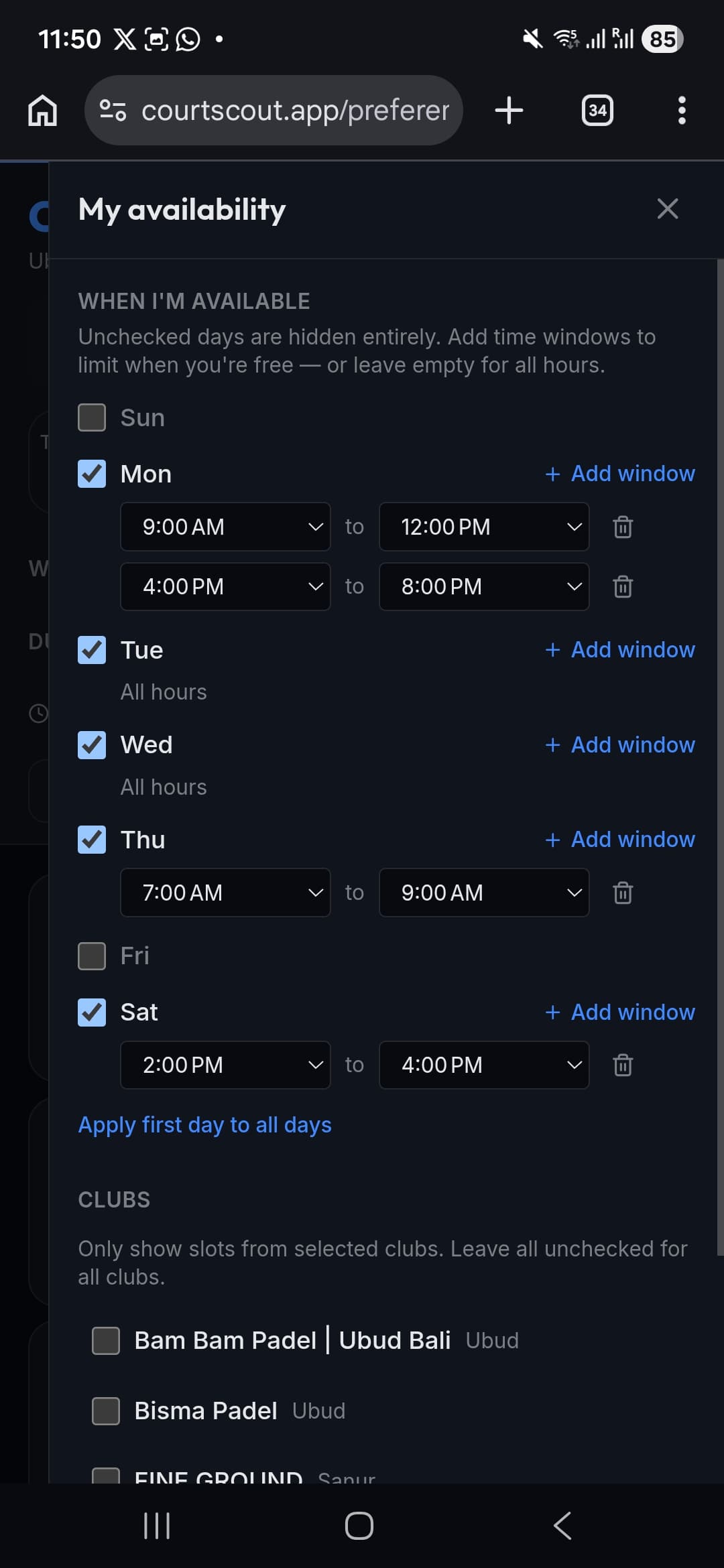
Personal time preferences that save per weekday — so Monday mornings and Friday evenings can have different availability windows. A quick inline time filter on the main page. Location-aware filtering where picking Sanur only shows Sanur clubs. Shareable URLs with the date and filters baked in using nuqs for URL state management, so I can send someone a link to "courts available Thursday afternoon in Ubud." A proper PWA setup with service worker and manifest. Smart booking links that switch format between desktop and mobile because Playtomic handles them differently. An intercepting route for /preferences that opens as a sheet in-app but works as a full page when you hit the URL directly.
On the technical side: server-side caching with granular TTLs per endpoint, request deduplication via in-flight promise tracking, proper Next.js error.tsx and loading.tsx boundaries, real metadata with dynamic Open Graph images using ImageResponse, and the kind of TypeScript strictness that makes refactoring feel safe instead of scary.
Later: Claude Code for the rebrand
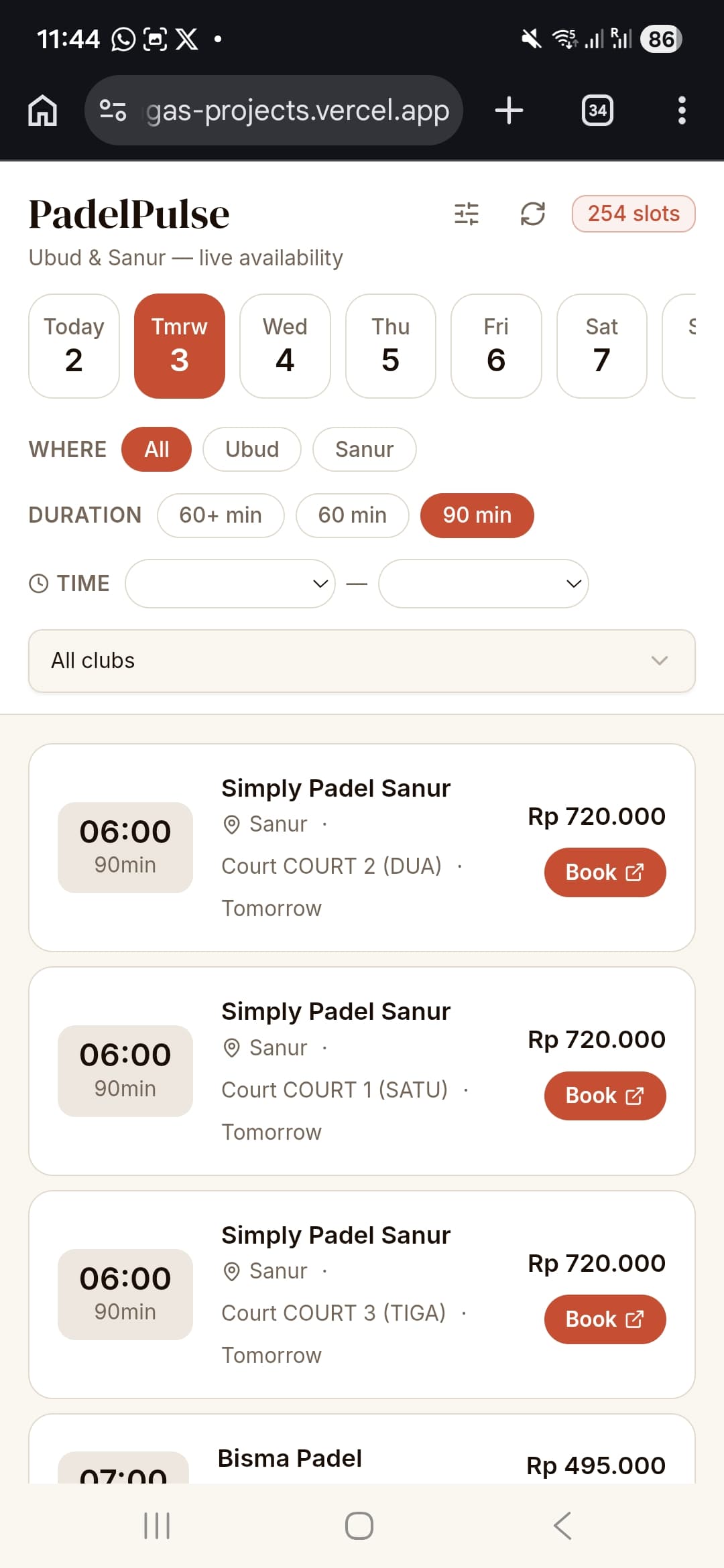
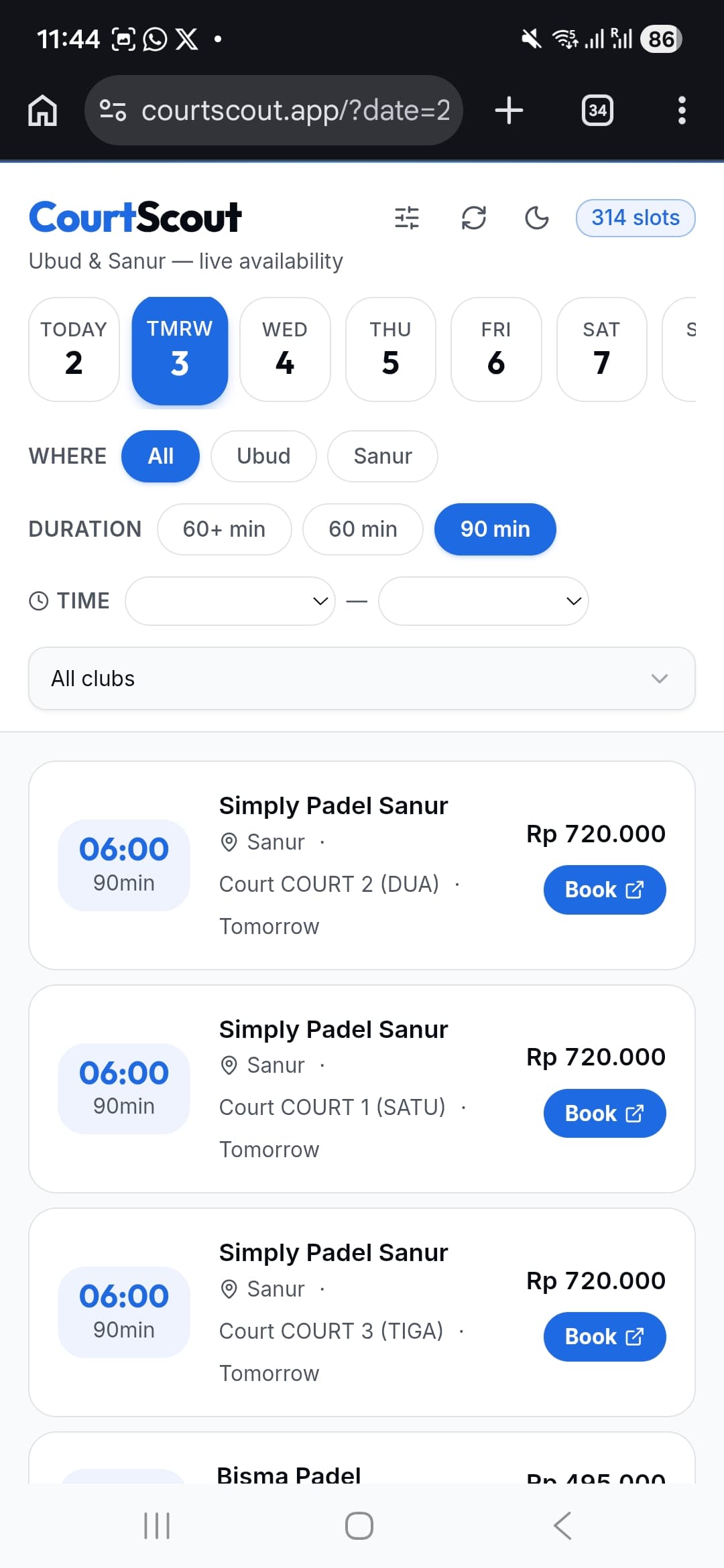
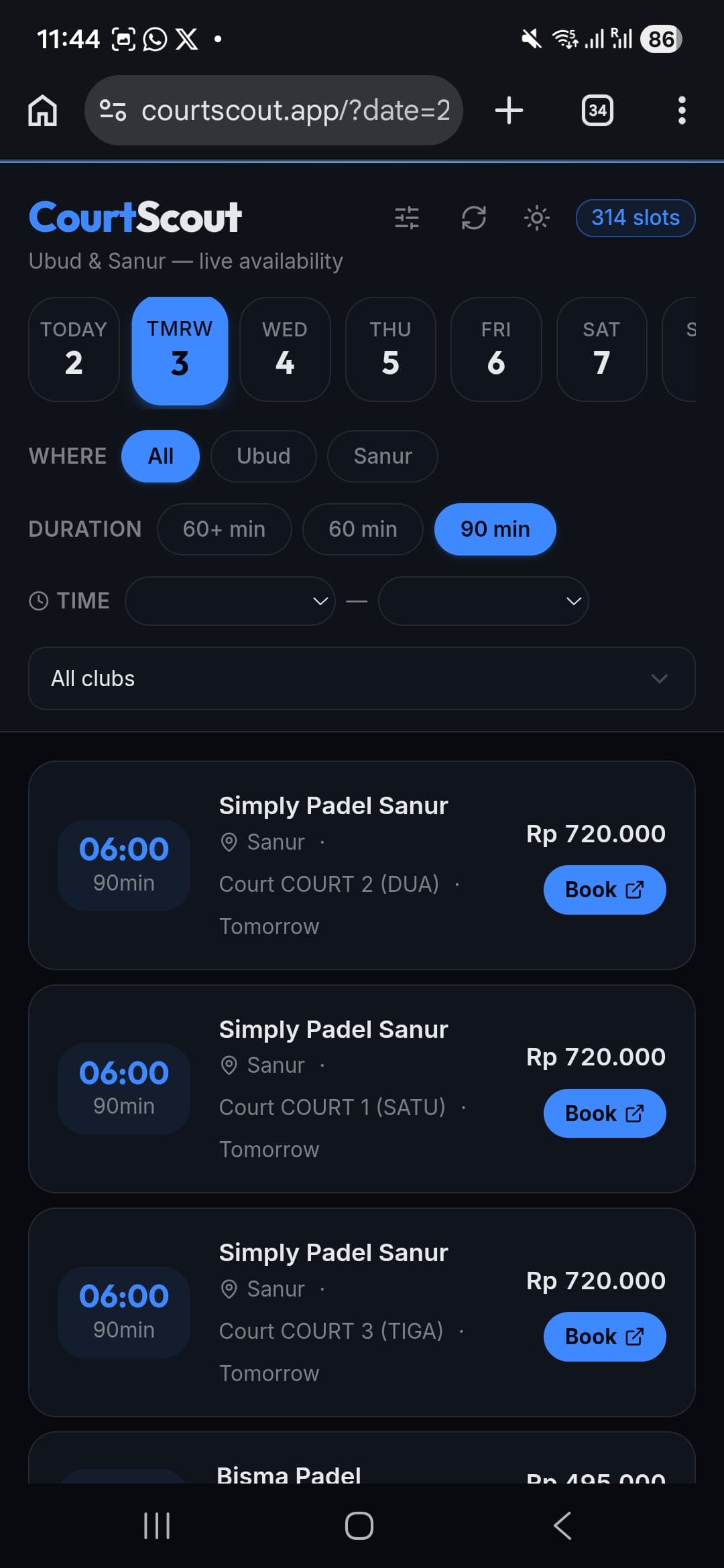
After v0 and Cursor, there was a third phase. The app worked great but the design felt too editorial — warm coral/sand colors, a serif font, no dark mode. I rebranded to CourtScout, switched to an Ocean Blue color system in OKLCH with full dark mode support, and swapped the typography to Outfit. I did this entirely in Claude Code (Anthropic's CLI agent), which approached it differently: it read every relevant file, wrote a full implementation plan with contrast ratios and implementation order, and presented it for approval before changing a single line. More like signing off on an RFC than iterating on suggestions. Seventeen files, one commit, Lighthouse scores still green across the board. But that's a story for another post.
What I actually learned
v0 is for momentum. It's strongest at the moment when you have an idea and no code. The prototype it generates isn't production-ready — it might not even follow the conventions of the framework it's generating — but it's real and running and that changes your relationship with the project. You stop planning and start improving.
Check the foundations early. The framework version, the caching strategy, the deployment model — these aren't details you want to discover are wrong three iterations in. When v0 hands you a project, the first thing I'd do next time is check the package.json versions, the data fetching pattern, and whether the caching actually works on your deployment target.
The last 30% is where the product lives. Correct timezones, correct court names, shareable URLs, accessibility, tests, clean structure — none of that is exciting, but it's what separates "a thing that works" from "a thing I open every day without thinking about it."
Use different tools for different jobs. v0 bootstraps. Cursor refactors and iterates. Claude Code plans and executes large changes. I didn't pick one and stick with it — I used each where it was strongest and moved on.
Ship the vibe, then make it solid. The prototype was exciting. The polishing was where the craft happened. Both matter, but if you never start the prototype, the polishing never gets a chance.
By the numbers
- v0: 4 PRs, ~30 commits (many just fixing lockfile issues), a working prototype in one afternoon
- Cursor: 18 sessions, ~30 commits, 7 PRs over about 3 days
- Upgrade: Next.js 14 → 16, React 18 → 19, full RSC migration
- Result: A production PWA at courtscout.app with Lighthouse 99/96/100/100 and a codebase I'm not afraid to change
If you're in Bali and play padel, give CourtScout a try. The code is on GitHub. And if you've been sitting on a small idea — something just for you — try describing it to v0 and see what comes out. Just be ready to check the foundations before you build on top.