How I Built My Portfolio With AI — From Phone Chat to Lighthouse 100
I built my entire portfolio website in a single weekend. And I didn't even open an IDE at first — I started by chatting with Claude on my phone, from Bali, figuring out what I actually wanted to say before writing a single line of code.
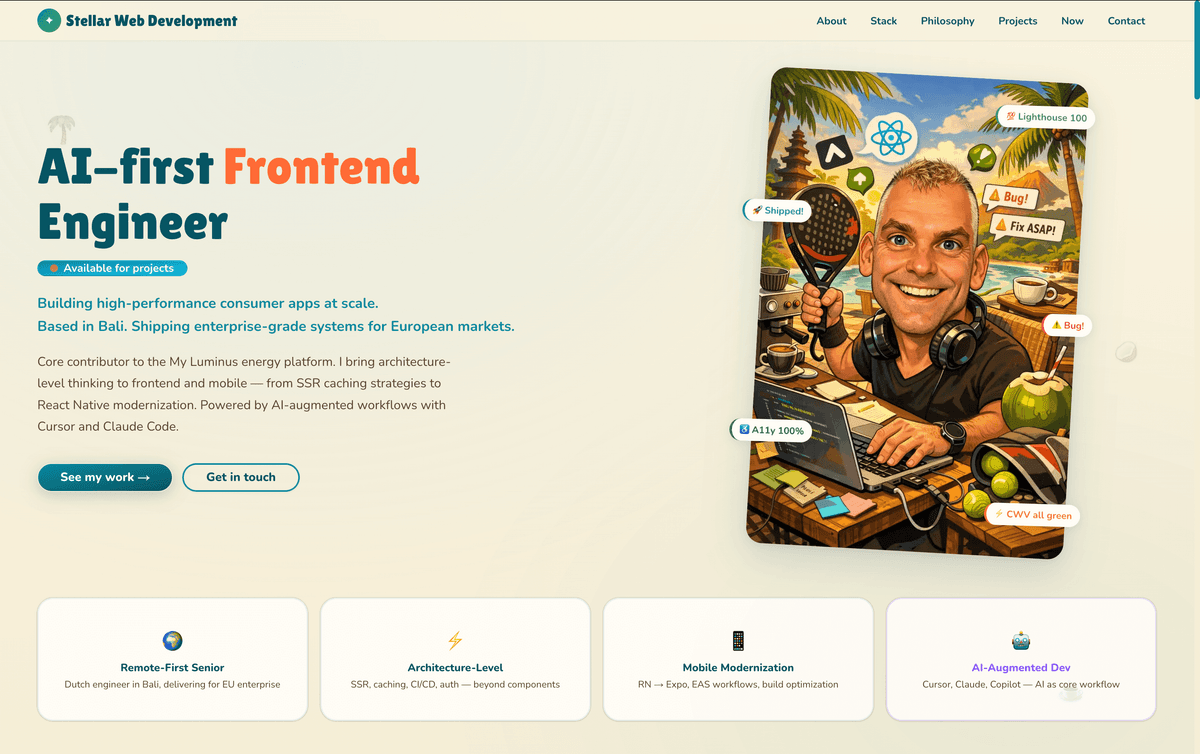
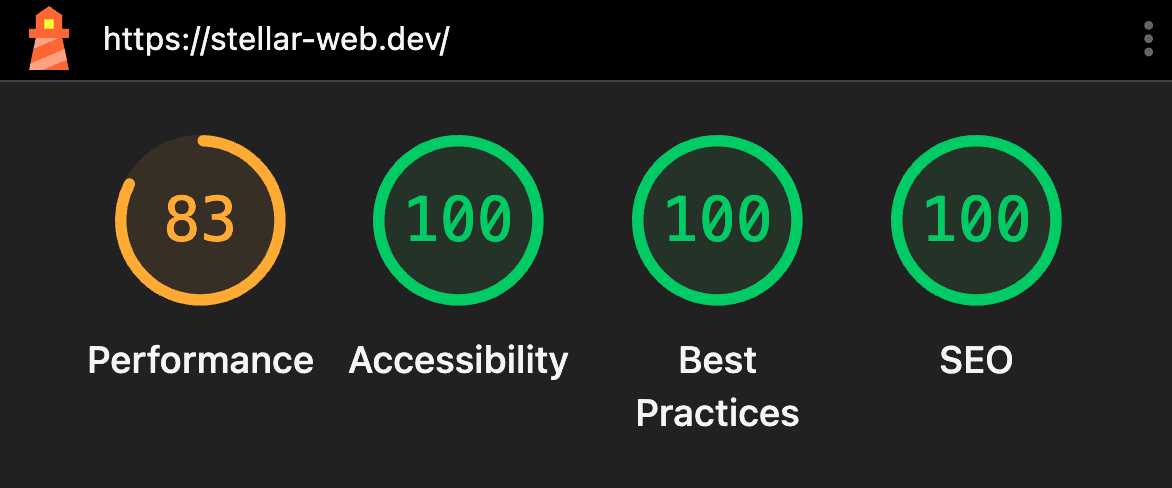
The result: stellar-web.dev, a Next.js 16 site scoring 100/100/100/100 on desktop Lighthouse. Here's the full journey — what worked, what didn't, and what I'd tell any developer starting out with AI dev tools.
Why I Started on My Phone
Most developers open their IDE first and figure out the content later. I did the opposite — and it turned out to be the best decision of the project.
I used the Claude Android app, just having a conversation. No code, no design tools, just talking through what my portfolio should communicate. Through back-and-forth, we nailed down my positioning ("AI-first Frontend Engineer"), defined four key differentiators, and designed the entire content structure — nine sections, from hero to contact.
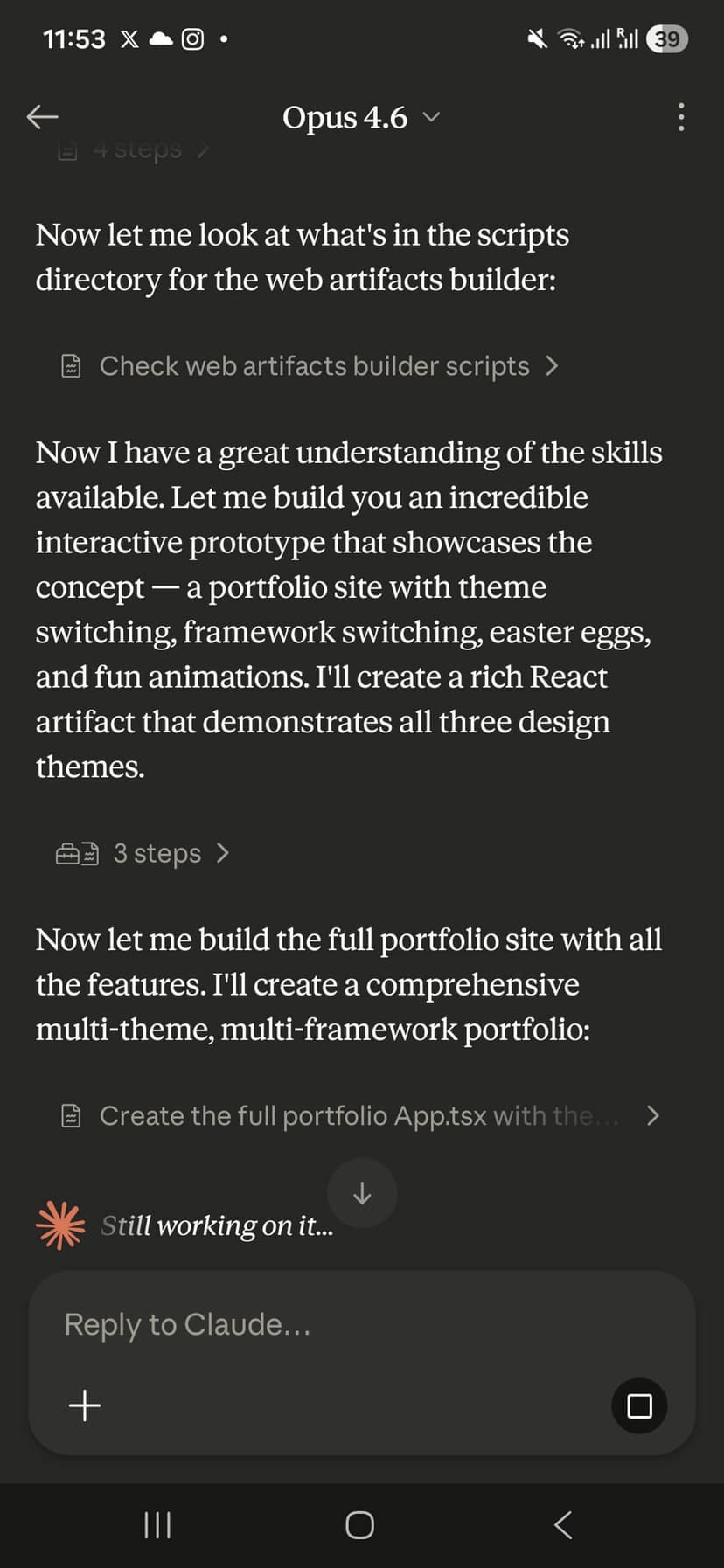
What surprised me: the conversational approach led to way better positioning than I would've gotten staring at a blank Figma canvas. Claude pushed back on generic freelancer language and helped me position myself around architecture and systems thinking instead. That wouldn't have happened if I'd jumped straight into code.
The Three Themes Experiment
One of the more ambitious ideas from the chat phase was designing three switchable themes: Minimal Pro, Tropical Fun, and Cyberpunk. We went deep on all three — color palettes, typography, visual language.
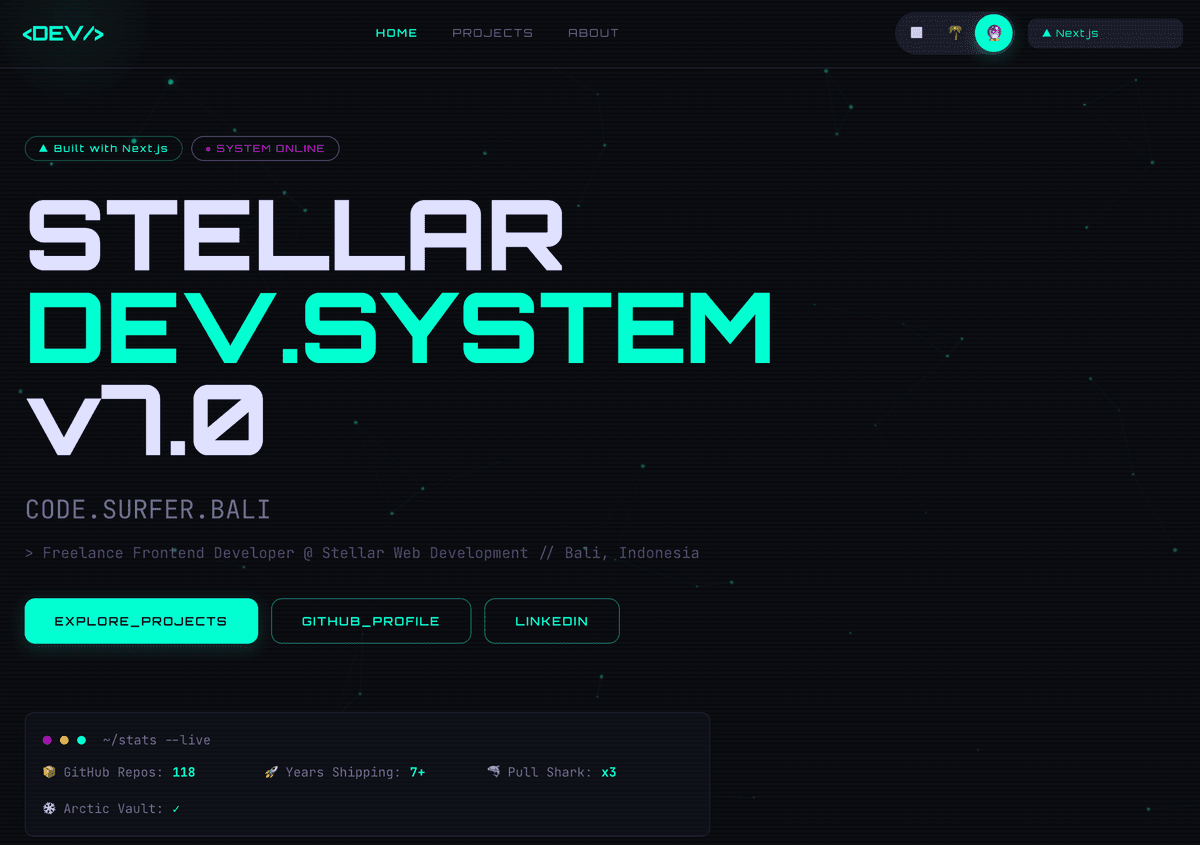
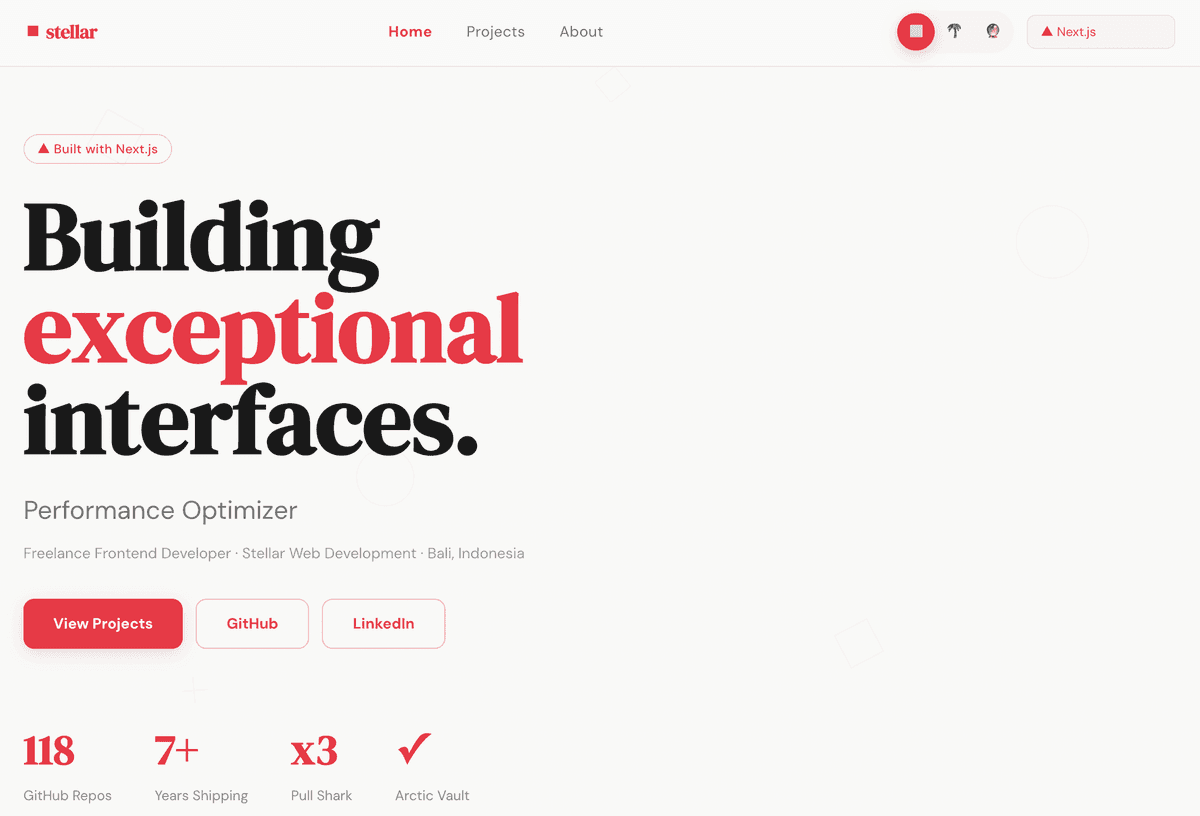
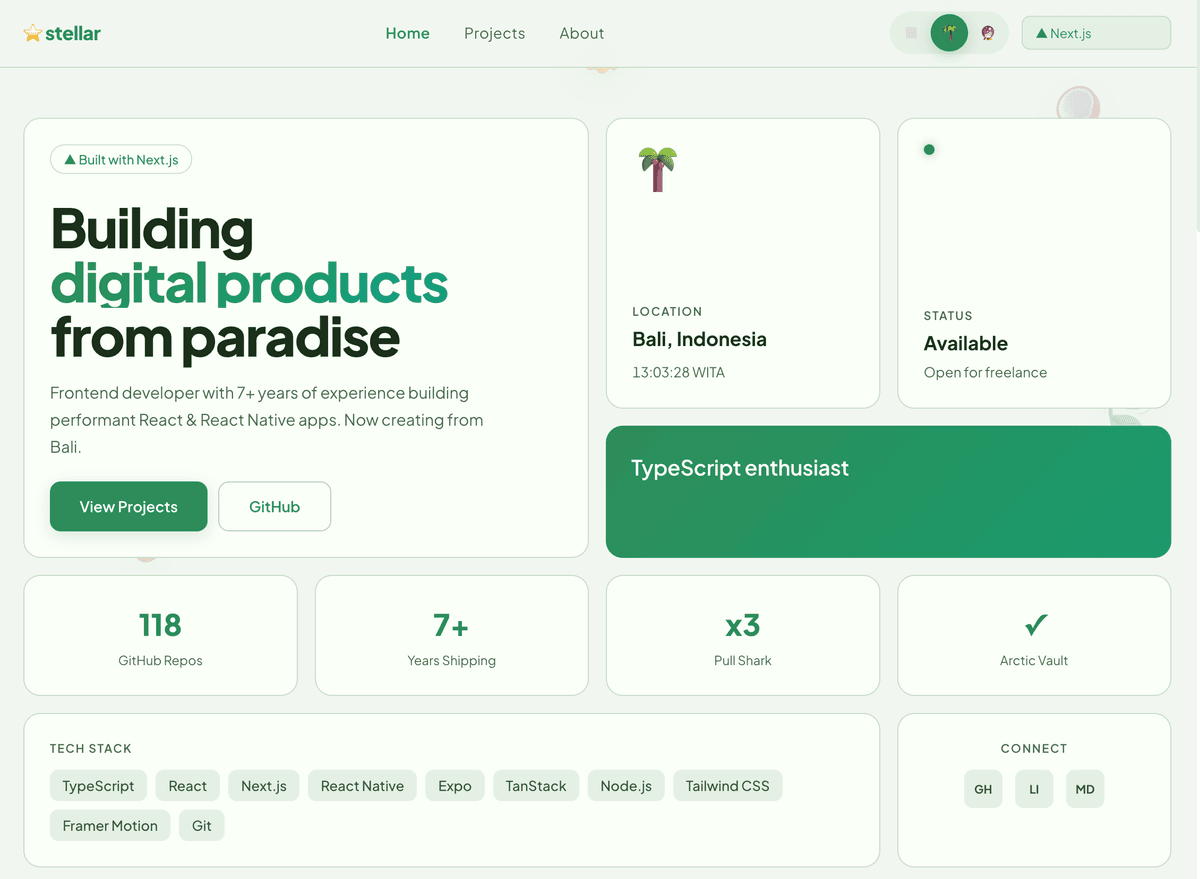
For the visual design, I asked Claude to propose available skills — specialized prompt packages that give it domain expertise. It suggested the frontend-design skill, which turned out to be a great call. It pushed toward distinctive, intentional design choices instead of the generic purple-gradient-with-glassmorphism aesthetic that every AI-generated site seems to default to these days. If you've seen five "AI-built" portfolios this week and they all look the same — that's what I wanted to avoid.
In the end, I focused on the tropical theme. It just fit — I'm a Dutch developer working from Bali, so the ocean blues, warm sand tones, and floating palm tree emoji felt authentic rather than gimmicky. The other themes became a "future TODO" for a theme switcher, and honestly, narrowing scope early was the right call.
A 600KB HTML Prototype
By the end of the chat phase, Claude had generated a complete, single-file index.html — about 600KB with a base64-embedded caricature image. It was fully responsive, interactive, had animations, Easter eggs, the works.
Was it production-ready? Absolutely not. Was it an incredibly detailed spec for the actual build? Yes. Having something I could open in a browser and show to Claude Code later was invaluable.
Takeaway: Starting on mobile forced me to focus on what to build before how to build it. If you're using AI tools, don't rush to the code. The thinking phase is where AI shines brightest.
The Handover to Claude Code
This was the critical transition — from phone conversations to a proper development environment. I used Claude Code inside Cursor on my desktop, and the bridge between the two phases was a single file: CLAUDE.md.
Why CLAUDE.md Was Everything
If you're not familiar with the concept: CLAUDE.md is a project context file that Claude Code reads automatically. I packed mine with everything from the chat phase — positioning, design tokens, component breakdown, content for every section, even the Easter egg specs.
This meant Claude Code didn't have to "discover" the project. It had full context from line one. No re-explaining the tropical color palette, no re-debating font choices. It just continued where the phone conversation left off.
Claude Projects: Keeping Context Across Sessions
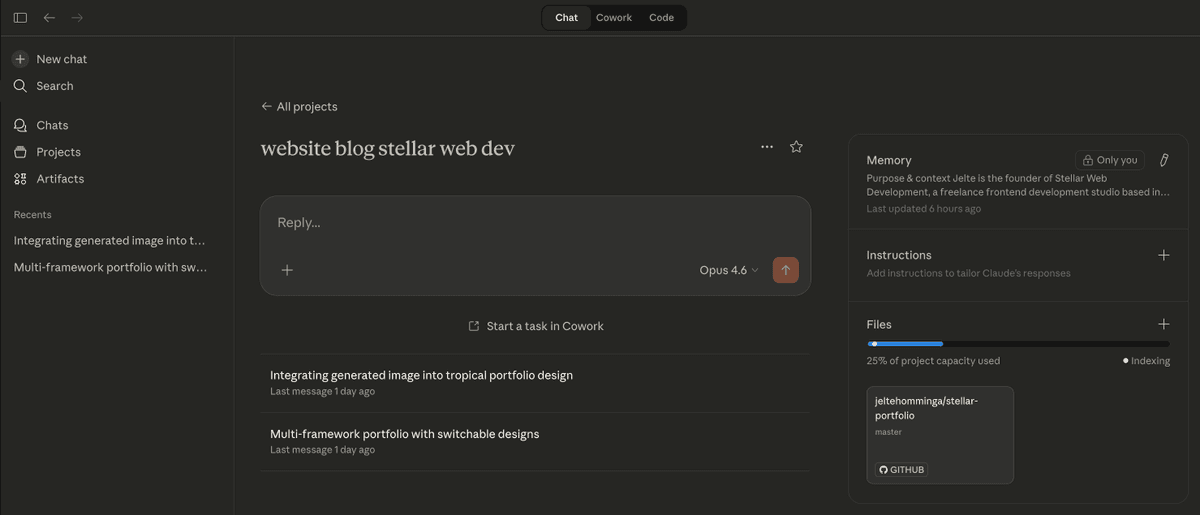
I also used Claude Projects to maintain context across sessions. Without it, I would've had to re-paste CLAUDE.md and re-explain every design decision each time I opened a new chat. With Projects, the context file, accumulated decisions, and conversation history all lived in one place — every new session picked up exactly where the last one left off. Even for a weekend build, this saved a ton of time.
Building in Next.js 16
The stack choice was deliberate: Next.js 16 with the App Router, React 19, TypeScript, and Tailwind CSS 4 with shadcn/ui — using Base UI instead of Radix as the underlying primitives, which gives unstyled, accessible components with smaller bundle size and no style conflicts. I wanted the latest of everything — partly because I'm building a portfolio that should demonstrate I know the current ecosystem, and partly because the performance features in Next.js 16 are genuinely good.
Server Components by Default
One architectural decision I'm particularly happy with: almost everything is a Server Component. The hero section, about, tech stack, philosophy cards, projects, experience timeline — all server-rendered. Client Components only exist where JavaScript interactivity is truly needed: the navigation hamburger, parallax effects, scroll animations, and Easter eggs.
All the fun-but-non-critical client-side stuff (floating emoji, toast notifications, the Konami code cursor trail) gets loaded through a single ClientExtras wrapper using dynamic imports with ssr: false. Zero impact on initial load.
Plan Mode: Think Before You Code
One thing I do with Claude Code almost every time — and did heavily on this project — is use Plan Mode. Instead of letting Claude jump straight into writing code, I tell it to plan first. It reads the relevant files, thinks through the approach, and presents a step-by-step plan before touching anything.
Why this matters: when you're porting a 600KB HTML prototype into 18 React components, there are a lot of decisions to make — component boundaries, Server vs Client, where state lives, how to handle dynamic imports. If you let Claude Code loose without planning, it'll make reasonable-but-suboptimal choices and you'll spend time undoing them. With Plan Mode, I review the approach first, push back on anything I disagree with, and then let it execute. The result is cleaner code with fewer iterations.
It also keeps you in the driver's seat. AI tools work best when you give them clear direction — Plan Mode is how I make sure that direction is explicit rather than implied.
What Claude Code Did Well
Claude Code was excellent at the mechanical parts of the port — breaking the monolithic HTML into 18 React components, converting inline styles to Tailwind classes, setting up the file structure. It also handled the SEO layer well: structured data, OG images with three rotating variants, sitemap, robots.txt.
Where it needed guidance: architectural decisions about component boundaries, what should be a Server vs Client Component, and performance-critical choices. Plan Mode helped here — by reviewing its proposed approach before execution, I could steer those decisions early rather than fixing them after the fact.
The Performance Deep Dive
This is where it got really interesting — and where human intuition still matters a lot. I started at around 80 on mobile Lighthouse and needed to figure out why.
The CLS Font Swap Saga
The biggest villain was a CLS (Cumulative Layout Shift) score of 0.311 — absolutely terrible. The root cause? display: "optional" on my web fonts.
Here's what was happening: on Lighthouse's simulated Slow 4G, my heading font (Lilita One — chunky, wide, very different from system fonts) couldn't load within the ~100ms block period. The browser would reserve space based on fallback font metrics, then shift everything when it committed to the fallback. Text blocks jumping around, hero content reflowing — a CLS disaster.
The fix: Switch both fonts to display: "swap" with adjustFontFallback: true. Next.js generates size-adjust, ascent-override, and descent-override CSS for a size-matched fallback. Text renders immediately with a near-identical fallback, and when the real font loads, the swap is nearly invisible. CLS went from 0.311 to zero.
What didn't work: adding preload: true to optional fonts (still too slow on 4G), adding min-height to containers (fragile), changing flex alignment (band-aid). You have to understand the browser rendering pipeline — this isn't something AI could debug on its own.
The Image Format Detective Work
My hero caricature was a JPEG file saved with a .png extension. Sounds harmless, but it meant Next.js served it as PNG instead of transcoding to AVIF — the image was 3x larger than it needed to be. This same bug appeared twice: once for the hero image and once for the OG images.
The fix involved checking file magic bytes (0xFF 0xD8 = JPEG, not PNG), renaming correctly, and adding a detectMimeType() helper. Lesson: file extensions lie, magic bytes don't.
The Quality Allowlist Gotcha
Next.js 16 introduced a qualities allowlist in image config. The default is [75]. When I set quality={60} on my hero image, it silently fell back to 75 because 60 wasn't in the list. No error, no warning. I had to explicitly add qualities: [60, 75] to my config.
This is the kind of undocumented behavior that eats hours. I caught it by comparing actual image sizes (via Chrome DevTools and PageSpeed Insights) to what I expected Next.js to serve.
Using Browser MCP and PageSpeed Insights API
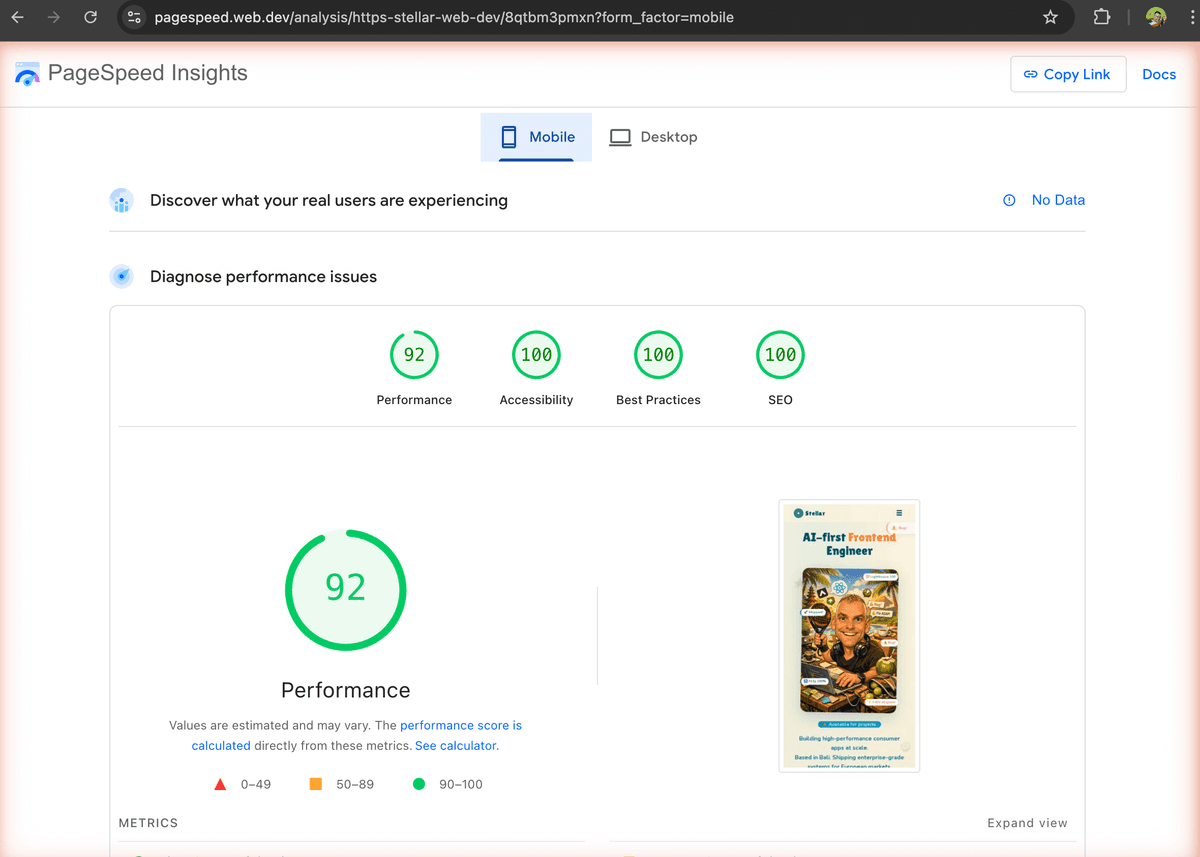
For the performance optimization phase, I leaned heavily on two tools: the browser MCP (Model Context Protocol) with the Claude Chrome extension, and the PageSpeed Insights API. This combination let Claude Code directly analyze live page performance, inspect network requests, and verify optimizations in real-time — instead of me copying Lighthouse reports back and forth. It made the debugging loop significantly tighter.
What You Can't Fix
Some things are framework overhead you just accept: ~14KB of Next.js polyfills, ~47KB of runtime chunks, and the inherent latency of Slow 4G simulation. My mobile LCP sits at 2.9s — the hero image delivery on throttled connections is the bottleneck, and the image is already AVIF at q60. Desktop hits 100 across the board.
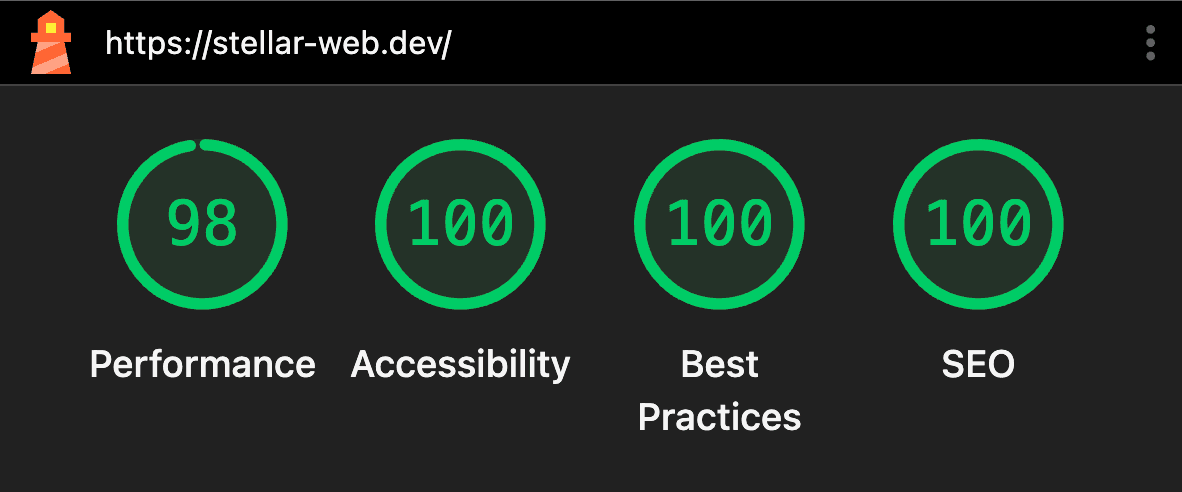 Mobile
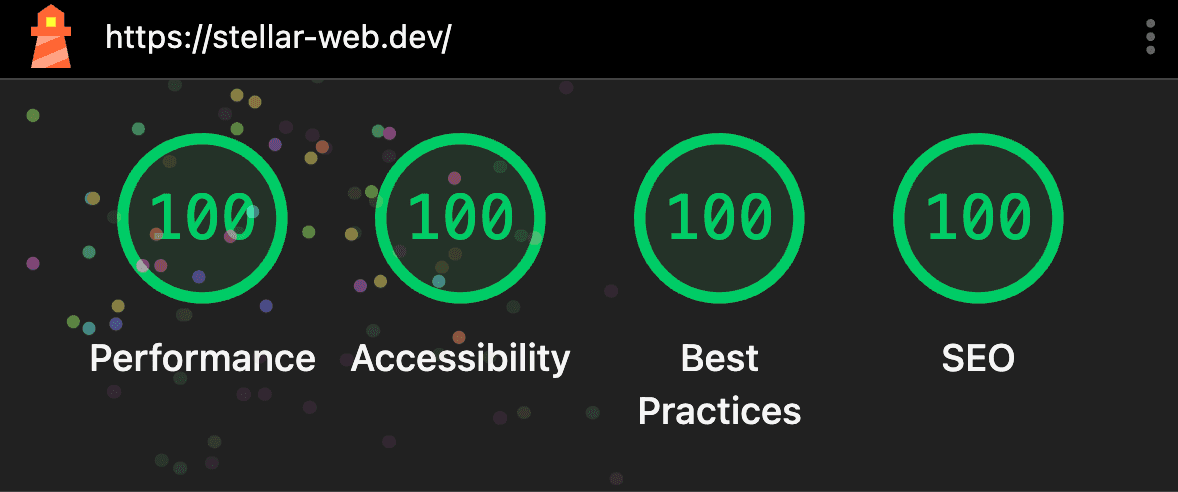 Desktop
What I'd Tell Developers Starting With AI Tools
The biggest thing I took away from this project: don't rush to the code. The mobile chat phase produced better results than any solo brainstorming session I've had. When I opened Claude Code on my desktop, I already knew exactly what I wanted to build — that made everything faster.
The handover between tools is where things can break, though. A well-written CLAUDE.md is the difference between Claude continuing your work and you starting over from scratch. I'd invest time in writing that context file well.
On the technical side, Claude Code ported my HTML to 18 React components in minutes — it's great at execution. But debugging why CLS was 0.311 on mobile required understanding font rendering, browser paint cycles, and Lighthouse's throttling model. That's still a human skill. Same with the qualities allowlist issue — it wasn't documented, and AI can't help you with what it doesn't know exists. Sometimes you need to dig into framework internals yourself.
And finally: my portfolio isn't perfect. The theme switcher isn't built, the blog section is brand new, and there are a dozen things I'd tweak. But it's live, it's fast, and it represents my actual skills. Perfect is the enemy of shipped.
And Yes, This Blog Post Was Written With AI Too
This post itself was written with Claude Cowork — Anthropic's desktop tool for content creation. Since all the build context already lived in my CLAUDE.md file, I connected it to the Cowork session and it had everything it needed. Unlike Claude Code (which runs in your IDE and is optimized for writing code), Cowork is built for documents, previews, and images — exactly what you need for a blog post.
So the full AI toolchain ended up being: Claude Chat (phone) for ideation → Claude Code (IDE) for development → Claude Cowork (desktop) for content. Each tool playing to its strengths.
Wrapping Up
This was a fun project — not because the tech is groundbreaking, but because the process was different. Starting with a conversation on my phone, handing off to Claude Code, iterating through performance optimization, and then writing about it in Cowork — every phase used a different AI tool, each one suited to the task at hand.
If you're a developer curious about AI-assisted development: just start. Open a chat, describe what you want to build, and let the conversation guide you. You might be surprised how much you can accomplish before writing your first line of code.
The site is live at stellar-web.dev. Check the console for Easter eggs — and if you build something with AI tools, I'd like to see it. This stuff is most interesting when developers are actually trying it themselves.
Jelte Homminga is an AI-first Frontend Engineer at Stellar Web Development, building enterprise-grade applications from Bali. Connect on LinkedIn or check out his work on GitHub.